In the middle of creating a course that has links to various external websites for extra help on the topic.
How would I do this?
Thanks Vic
In the middle of creating a course that has links to various external websites for extra help on the topic.
How would I do this?
Thanks Vic
Hey Vic,
Good question and one that comes up pretty often when people start linking out to external resources.
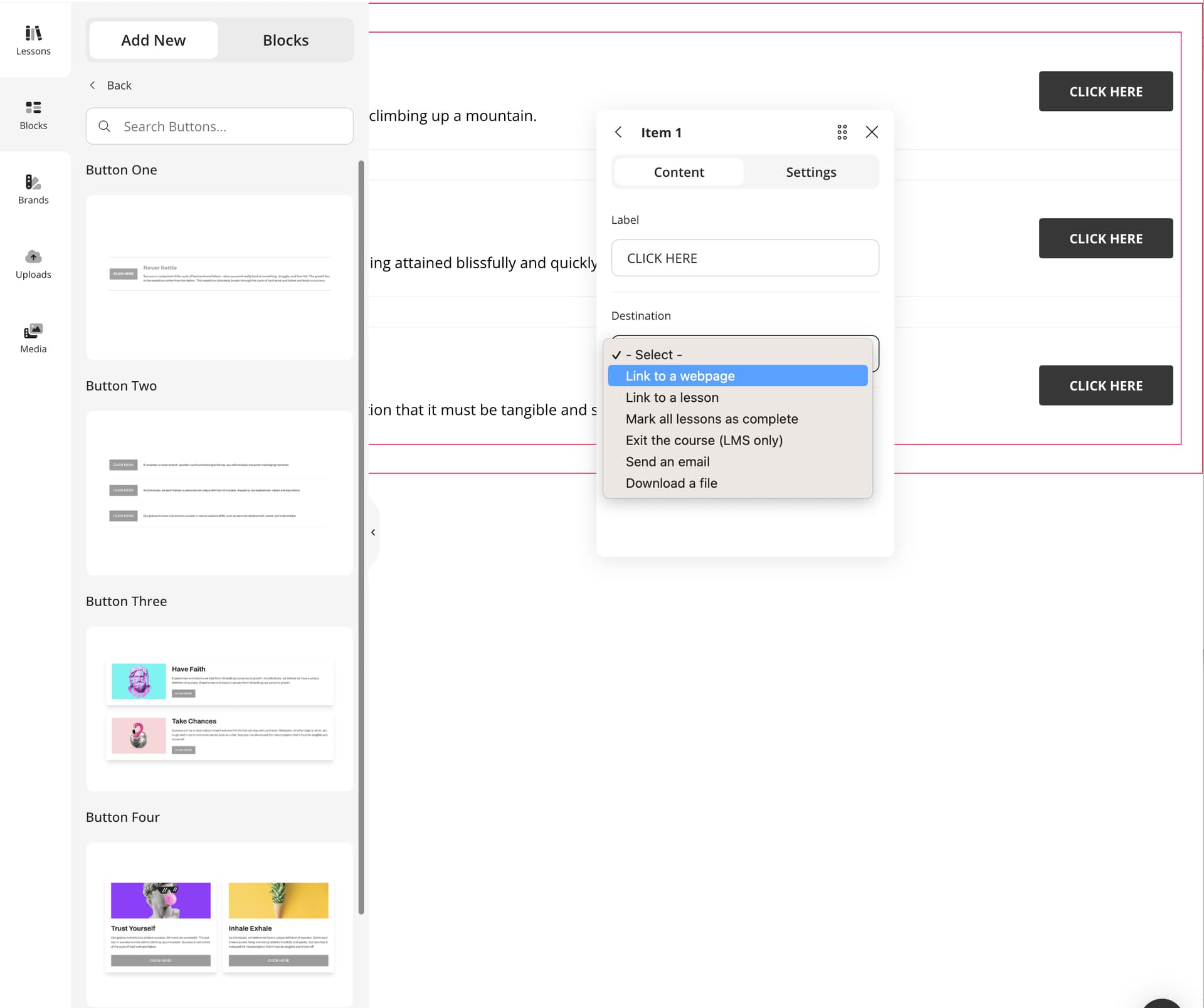
In Compozer, you can easily link to external websites or even to other lessons within your course by using Button blocks. There’s a whole category of different button blocks you can choose from, so you’ve got plenty of freedom to get creative with how your course looks. Try mixing and matching styles to make your links stand out or blend in with your lesson design.
If you’d rather keep things simple and just link text, you can do that too. Inside a Text block, highlight the text you want to turn into a link and select Insert Link.
That’s it! Whether you’re adding extra resources, references or optional readings, Compozer makes it easy to connect your learners with supporting material without breaking their flow.