Ok, I’m trying to build a branching scenario type course in Compozer. Sort of a “choose your own journey” setup. The idea is that learners pick one of several possible paths, each made up of a few lessons or scenes. Once they finish their chosen path, that should feel like course completion from their perspective, even though they didn’t go through every branch.
The challenge I’m running into is figuring out how to handle completion tracking and navigation. Right now, even after completing one path, the course doesn’t technically register as complete because the other paths haven’t been taken. I’d also like to hide all navigation and progress indicators so the experience feels more seamless and story driven.
Is there a way to do this in Compozer?? maybe a workaround for course completion or navigation settings..or is this just outside what’s currently possible?
Thanks lots!!!
4 Likes
Yes, what you’re trying to do with a “choose your own journey” or branching scenario course is absolutely doable in Compozer - it just takes a little setup with navigation and completion settings. Here’s how it works:
1. Control navigation completely
You can turn off all built-in navigation and menus for your course via the Course Settings. This hides the sidebar, progress indicators, and default lesson navigation, letting you control the learner’s journey entirely through your buttons and actions. Essentially, learners only move forward based on the choices you provide in your scenario. (See screenshot below showing where to toggle off navigation.)
2. Handling course completion
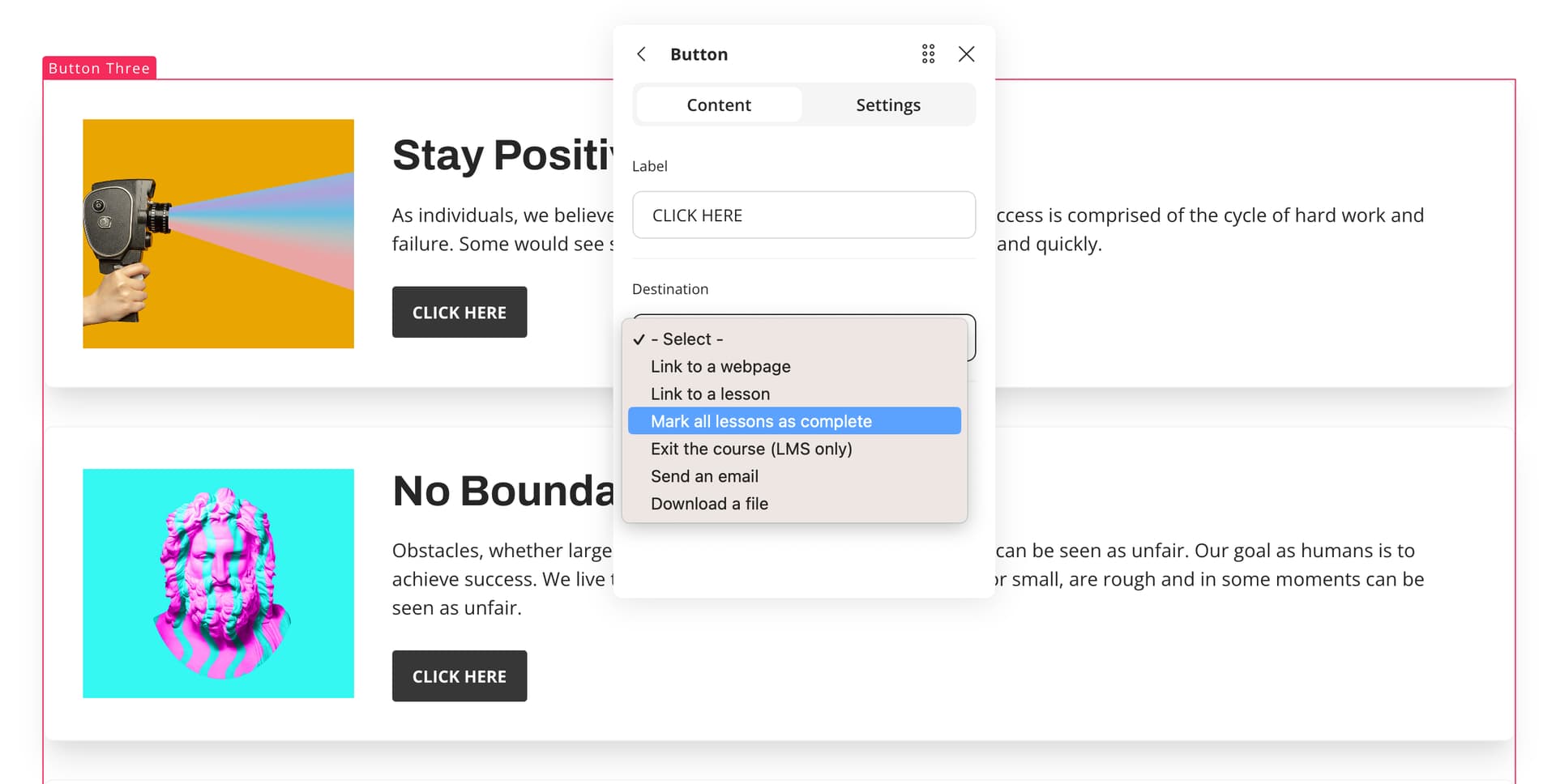
On your ending blocks - the final screens of each possible path - you can use the “Mark all lessons as complete” action. Adding this action to a button or interaction will mark every lesson in the course as complete from a SCORM reporting perspective. This way, even if a learner only went down one branch, the LMS will register the course as fully completed.
3. Important note about quizzes
The “Mark all lessons as complete” action does not mark quizzes as complete. So if you want the final screen to register as a complete course including a knowledge check, a good approach is to make your final block a quiz. That way, completion of the quiz effectively finalizes the course for SCORM tracking.
This setup gives you full creative control over a “story-driven” experience, while still capturing completion for SCORM or other LMS reporting.
12 Likes